PDF Tools & AI Document Workspace

AI contract review and PDF cleanup — every risk, traced to its clause

Convert, edit, annotate, review and clean PDFs — in one workspace.

PDFnoted puts everyday PDF tools and AI-assisted document workflows in the same place: convert a file in seconds, or take a contract all the way from parsing and review to locating the clause and exporting a clean copy.

Browse all PDF tools
27free PDF tools
236regulation source files
3jurisdictions covered

Processing requires no sign-up: uploading, processing and preview start right away. Downloading asks for your email once to receive a one-time login link — no password, no charge.

Drag your PDF here

or click here to browse

PDF supported · up to 8 MB per file
Online PDF Tools

Everyday PDF tools

Pick an entry point by task and start immediately. All 27 tools are listed in the tools directory.

Not finding what you need? Every entry point is listed here

AI-Assisted Document Review

Understand the document, locate the issue, keep working

Use AI-assisted review to surface what may need attention, jump back to the exact place in the source text, and decide yourself whether to change or clean anything.
PDFnoted document review interface: contract text on the left, annotation dialog in the centre, review results and risk items on the right
The PDFnoted review interface · click to enlarge · every finding jumps back to its position in the source text
  1. Upload and parse
    Read the document structure and body text, recognising pages and paragraphs.
  2. Run the review
    Check the document against the review task you selected.
  3. Locate the source
    Map each finding back to the specific page and passage.
  4. You confirm
    Go through findings one by one: accept, ignore or adjust.
  5. Process and export
    Keep editing, annotating and cleaning in the same workspace, then export.

Review output is AI-generated and offered as assistance only — it is not legal or compliance advice. The final conclusion and every decision stay with you.

A knowledge base you can check

27free PDF toolsBasic processing runs browser-local first
236regulation source filesChina · US · EU · measured at runtime 2026-10-15
23,942clause-level index entriesReturns regulation name and clause number · measured at runtime 2026-10-15
3jurisdictions coveredChina / United States / European Union
PDF Clean

Clean and prepare a PDF

Watermarks, stamps, sensitive data and document properties — jump straight to the problem you need to solve.

I only need to fix one thing

For example removing a watermark or wiping metadata. Go straight to that tool.

Choose by problem →

I want the whole document checked

Not sure what is in the file? Run a full check first, then decide what to do.

Run a full document check →
Edit & Annotate

Read and annotate PDFs properly

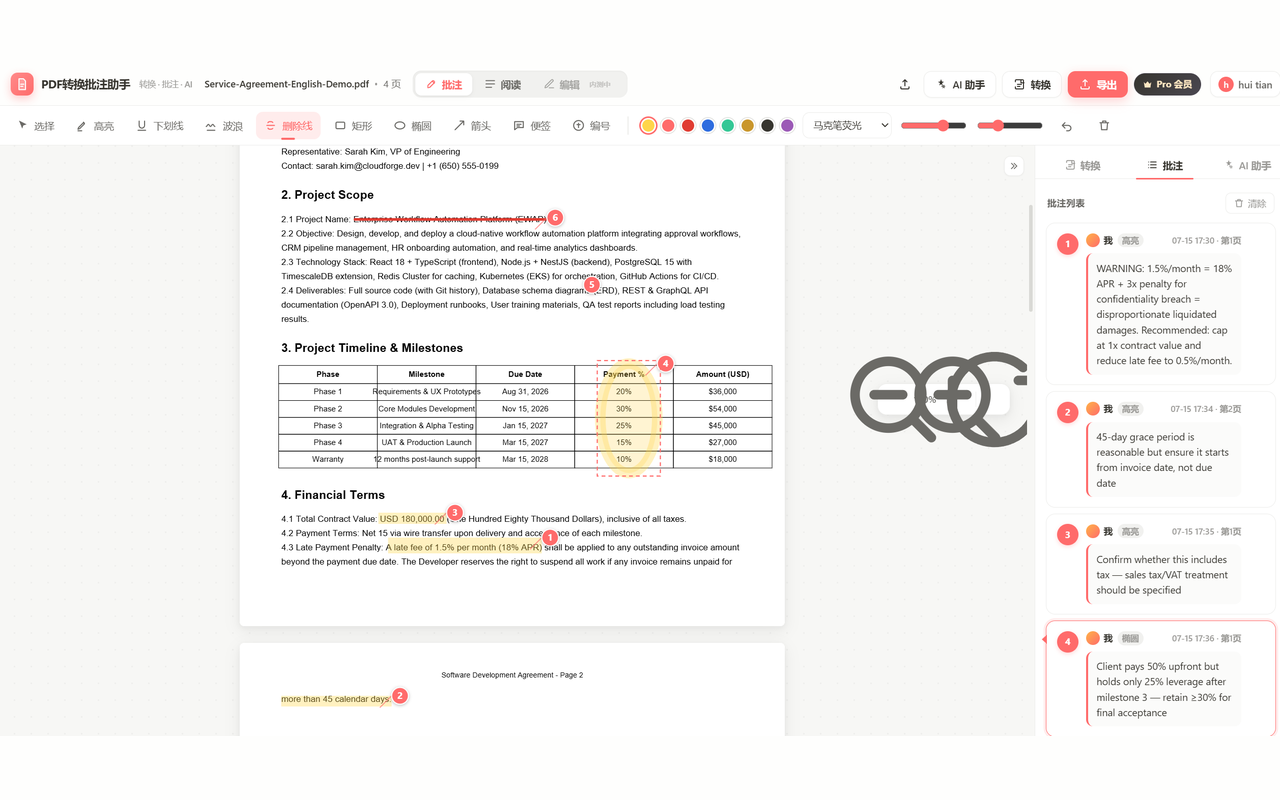
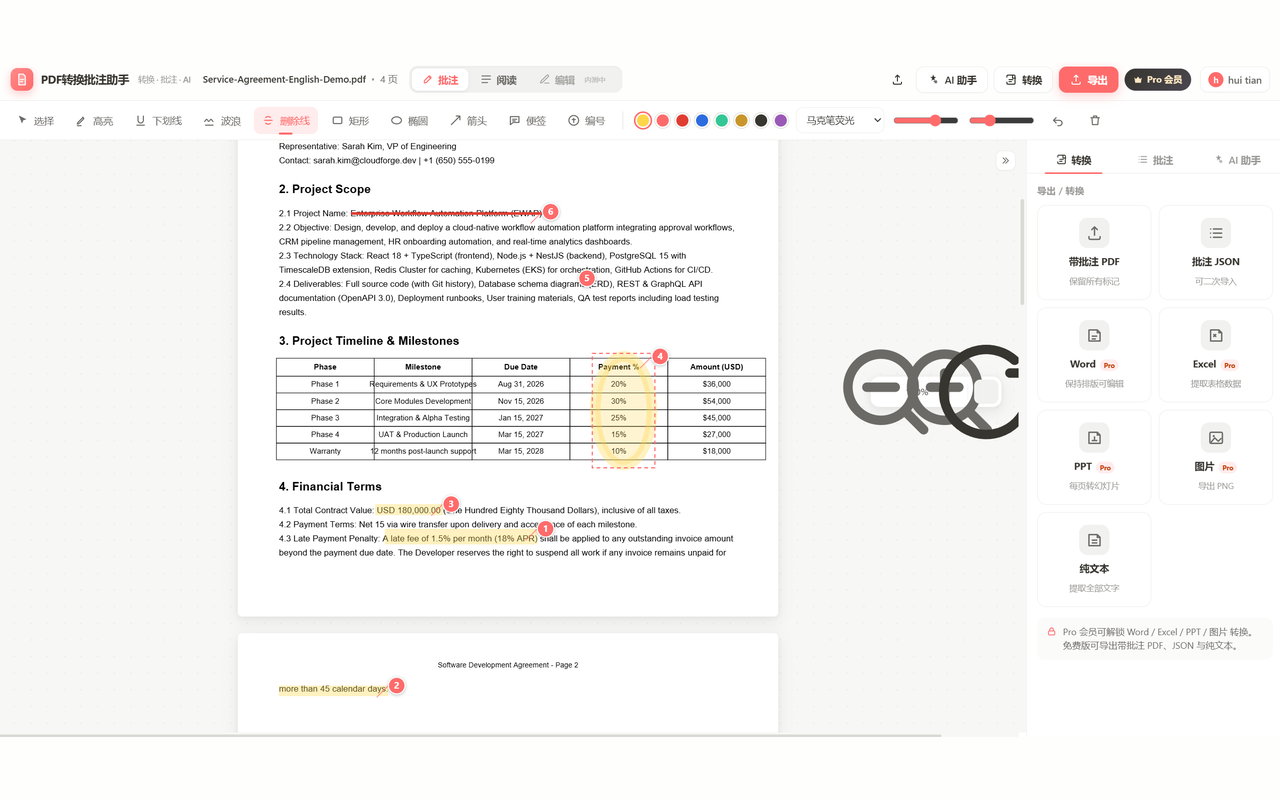
Read, mark up and edit documents in the browser — your annotations stay with the file when you export it.

  • Read and zoom online, no desktop software to install
  • Text highlight, underline and written notes
  • Comments and markups you can revisit one by one
  • Page-level editing: rotate, delete, reorder
  • Annotations export with the file, so the next reader still sees them
Open the online editor →
PDFnoted online editor: annotation toolbar, contract text and annotation panel; annotations export with the file
The PDFnoted editor · click to enlarge · annotations export with the file
Resources

Guides, comparisons and document know-how

AI contract review, PDF cleanup, cross-border compliance and how PDFnoted compares with the tools you may be using today.

Pricing

Start free, upgrade when you need more

Everyday PDF tools are free. AI features include 3 runs per day on the free plan; Pro removes the daily limit.

Free
$0
  • All 27 PDF tools: convert, merge, split, compress, rotate
  • Read, annotate and export online
  • 3 AI runs per day
Start with the tools
ProPopular
$14.90 /month
  • Everything in Free
  • Unlimited AI review and cleanup, no daily cap
  • Higher file size limits

Processing requires no sign-up; downloading asks for your email once to receive a one-time login link — no password, no charge.
Just one document to send? 24-hour full access — $7.90, no subscription
Prices, renewal and refund terms follow what the checkout page shows.